

GTS CPUXA Ocelot Software Plugin for HS3
GTS CPUXA Ocelot Software Plugin for HS3
Couldn't load pickup availability
| HS4 users: This plugin was created for HS3 and should run on your HS4 system. However, the setup/config pages are not optimized for use on mobile devices. |
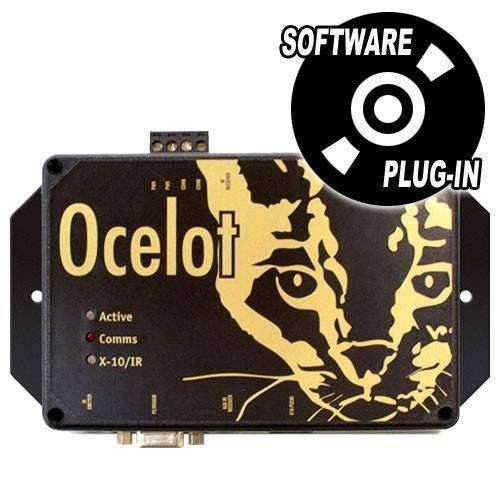
Software plug in for Applied Digital Ocelot/Leopard. This plugin provides an RS232 interface from the Ocelot to Homeseer 3.0.0.208 or higher.
Main Features
- Individual creation and deletion of IO, Variable, IR(Ocelot/Leopard and Secu16IR), and X10 devices.
- Variables can be set from Device Management page, event actions, and scripting.
- IR locations can be sent from the Device Management page, HomeSeer events, and can be learned from the device's Device Config page.
- X10 received signals have event triggers for All ON, All OFF, Unit ON, and Unit OFF commands.
- IO and Variables can be triggered in HomeSeer events with device value triggers.
- Triggers For IR Match.
- Scripting for set IO, set variable, send IR, and send X10.
- X10 can be set/sent from scripting without devices created.
- Works with Windows and Linux.
Downloads (Manuals / User Guides / Software)
What's Included
- Software License Codes
Requirements
- HomeSeer version 3.0.0.208 or higher
- Compatible with Windows and Linux
Share
Got back into Homeseer about 3 years ago after a 10 year break. Been adding hardware functionality little by little ever since.
This latest update involved adding Infrared output. I still had an old Applied Digital Ocelot in a box, so decided to see if it'd work in HS3 Pro .435 on an Intel NUC running Windows 10 Pro. Long story short: Yup, it does.
Took me a bit to find a proper RS-232 9-pin -> USB adapter (The blue GearMo on Amazon works great, though you also need a short M->F cable in order to connect the 9-pin to the Ocelot because the GearMo 9-pin end, while being a male 9-pin, doesn't have thumb screws! You have to use a cable to screw into the GearMo)
At first, I tried the included HomeSeer Applied Digital Ocelot plugin but didn't have any success. Can't remember what the issue was, but I soon found a few mentions of the GTS CPUXA Ocelot plugin in the forums and gave it a shot. I was easily able to capture IR codes from my existing remotes into the Ocelot and send them back out to control my devices. The IR output of the Ocelot is very low, so I also use a Xantech 791-44 Amplified Connecting Block (up to 8 IR emitter outputs) as an IR repeater.
The GTS CPUXA Ocelot plugin has been rock solid and works as advertised with the IR portion of the Ocelot. I don't have any of the Applied Digital expansion devices for I/O, but might pick one up. Will add to the review if and when I do.
If you've got an Ocelot, this plugin works great with the IR portion!
It would be nice if it supported dimming for X10 but it does most everything I need.
Run as expected
Good but missing more features